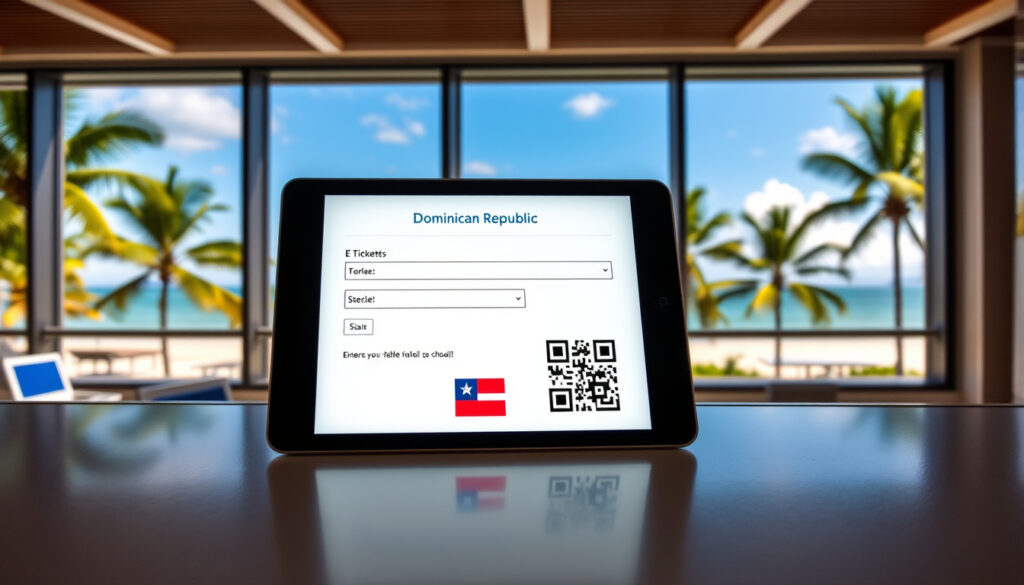
E Ticket Dominican Republic: Free Digital Entry/Exit Guide
Few things feel more outdated than filling out a paper form at the airport — until the Dominican Republic government launched a free digital e-ticket that replaced three separate paper documents. Whether you’re heading to Punta Cana or planning a longer stay, this guide covers the essential details about the system, from timing to cost to the QR code that gets you through.
Cost: Free ·
Processing Time: Instant ·
Validity: 90 days ·
Required For: All travelers entering or leaving Dominican Republic ·
Form Type: Digital entry and exit form ·
Official Site: eticket.gob.do
Quick snapshot
- Mandatory digital entry/exit form since April 2021 (Go Dominican Republic – official tourism authority)
- Free of charge, no hidden fees (Go Dominican Republic – entry requirements) (Go Dominican Republic – official tourism authority)
- Can be shown on a mobile phone or printed (Presidencia de la República Dominicana – official announcement)
- Whether the $20 departure fee is included in airfare varies by airline (U.S. Department of State – travel advisory)
- Transit passenger requirements — official sources recommend filling it out as a precaution (Go Dominican Republic – travel FAQs)
- Last-minute submission speed if network congestion occurs (Viajero Digital / MITUR – official e-ticket portal)
- Entry form can be submitted up to 90 days before arrival (Go Dominican Republic – entry requirements)
- Exit form should be submitted within 72 hours before departure (Viajero Digital / MITUR – official instructions)
- Processing is instant — QR code generated immediately (Presidencia de la República Dominicana)
- Present QR code to immigration on arrival and departure (Dirección General de Migración – official migration authority)
- Airline requires the e-ticket before check-in (Go Dominican Republic – entry requirements) (Dirección General de Migración – official migration authority)
- E-ticket is not a boarding pass — you still need the airline’s boarding pass (Viajero Digital / MITUR) (Dirección General de Migración – official migration authority)
Seven key facts about the Dominican Republic e-ticket, one pattern: the system is designed to eliminate paper entirely while keeping the process free and instant for every traveler.
| Fact | Detail |
|---|---|
| Mandatory Since | April 2021 |
| Cost | Free |
| Validity | 90 days from issuance |
| Processing | Instant |
| Official URL | Official e-ticket site (eticket.gob.do) |
| Alternative URL | Official e-ticket portal (English) |
| Required For | All passengers (foreigners and Dominicans) |
Is the e-ticket still required for the Dominican Republic?
- The e-ticket is mandatory for all passengers entering or leaving the Dominican Republic on commercial flights (Go Dominican Republic – official tourism authority).
- Passengers on private flights, non-commercial vessels, ferries, and cruise ships do not need to complete it (Go Dominican Republic – travel FAQs).
- Both Dominican citizens and foreign travelers must complete it (Dirección General de Migración – official migration authority).
What is the e-ticket?
The e-ticket replaced three separate paper forms — the International Embarkation/Disembarkation Card, the Customs Declaration Form, and the Traveler Health Affidavit — consolidating them into a single digital step (Viajero Digital / MITUR – official e-ticket portal).
It is an electronic entry and exit form managed by multiple Dominican government institutions. The Dirección General de Migración describes it as a digital requirement for any passenger moving through the national territory.
Is the e-ticket free?
Yes — the e-ticket itself costs nothing. The Dominican government’s official tourism site states it is “free of charge”. No payment is requested at any point during the application process.
Who needs to fill it out?
Every passenger on a commercial flight — foreign tourists and Dominican citizens alike — must submit the e-ticket. The U.S. Department of State confirms that travelers must complete an e-ticket for each entry and exit.
The implication: there is no “maybe” about this requirement. If you are flying into or out of the Dominican Republic on a commercial airline, the e-ticket is non-negotiable.
What this means: The e-ticket is a must for any flying traveler; don’t skip it.
How to get an e-ticket for the Dominican Republic?
- The official form is available at eticket.gob.do and viajerodigital.mitur.gob.do/english/.
- You fill out personal, passport, and flight details in a step-by-step process (E-ticket manual PDF – official government instructions).
- A QR code is generated instantly upon submission (Presidencia de la República Dominicana – official announcement).
- Separate forms are needed for entry and exit; the exit form must be submitted within 72 hours of departure (Viajero Digital / MITUR – official instructions).
How do I get an e-ticket to Punta Cana?
The process is identical for Punta Cana, Santo Domingo, Puerto Plata, or any other Dominican airport. The e-ticket is not destination-specific — it covers the entire country. Start at eticket.gob.do, select “New Application,” and follow the prompts.
How do I access the e-ticket form?
The government’s official e-ticket manual breaks the process into five steps: request an application code, complete general information, fill in migration data, provide customs details, and submit public health information. The entire flow takes most travelers 5–10 minutes.
- Request an application code.
- Complete general information.
- Fill in migration data.
- Provide customs details.
- Submit public health information.
What information do I need to provide?
- Passport number and expiration date (E-ticket manual PDF)
- Flight number, arrival date, and departure date
- Personal details (full name, date of birth, nationality)
- Accommodation address in the Dominican Republic
- Customs declaration (items being brought in)
The system allows one registrant to add up to six companions on the same application (official manual). That means a family of four only needs one session — but each person’s passport data must be entered correctly.
What this means: the form is straightforward but requires accuracy. A typo in your passport number could cause delays at immigration. Double-check before submitting.
The takeaway: Completing the e-ticket online before the airport prevents delays and ensures a smooth immigration process.
When should I fill out my e-ticket?
- The entry form can be completed up to 90 days before travel (Go Dominican Republic – entry requirements).
- The exit form must be submitted within 72 hours before departure (Viajero Digital / MITUR).
- Processing is instant, so last-minute submission is possible, but network delays may occur (Presidencia de la República Dominicana).
How long does it take to get a Dominican e-ticket?
The system generates your QR code instantly after submission. The official Viajero Digital portal states the form can be submitted one week before arrival up to the moment before passing through immigration. However, filling it out early avoids the stress of last-minute airport wifi or phone signal issues.
Can I fill it out at the airport?
Technically yes — but the airline requires the e-ticket before you reach the check-in counter (Go Dominican Republic – entry requirements). “The form must be completed before arriving at the airline counter,” the official site warns. Waiting until you’re in the terminal risks being turned away from check-in.
What this means: The entry form can be completed months ahead, but the exit form requires a tight 72-hour window. Plan accordingly to avoid airport stress.
Do you have to pay $20 to leave Dominican?
- The e-ticket itself is completely free (Go Dominican Republic – entry requirements).
- The $20 departure tax is a separate fee, often included in airfare or paid at the airport (U.S. Department of State – travel advisory).
- No payment is required for the e-ticket application at any stage (Go Dominican Republic – travel FAQs).
Is the e-ticket free?
Yes — multiple official sources confirm the e-ticket carries no fee. The Go Dominican Republic tourism authority explicitly lists the e-ticket as free. No credit card or payment information is requested during the application.
What is the $20 departure fee?
The departure tax is a separate government fee that some airlines bundle into your ticket price. Check your airline’s policy before travel. If it is not included, you will pay at the airport — but this transaction has nothing to do with the e-ticket portal (U.S. Department of State).
The trade-off: the confusion between “free e-ticket” and the departure tax creates unnecessary anxiety. If your airline ticket already includes the departure fee, you owe nothing extra. If not, budget $20 at the airport — but the e-ticket itself remains costless.
Can I show my e-ticket on my phone at the airport?
- You can show the QR code on your phone or print a paper copy — both are accepted (Presidencia de la República Dominicana – official announcement).
- At the airport, present the e-ticket to immigration officials upon arrival and departure (Dirección General de Migración).
- The e-ticket is not a boarding pass — you still need your airline boarding pass to board the flight (Viajero Digital / MITUR).
Do I need to print the e-ticket?
No — showing the QR code on your phone screen is sufficient. The Presidencia de la República Dominicana states the QR code can be downloaded as a PDF and displayed on a mobile device or printed. Both methods are accepted at immigration and customs.
What do I do with my e-ticket at the airport?
Upon arrival: present the QR code to immigration officials who scan it to validate your entry. Upon departure: present the exit-form QR code at immigration before proceeding to your gate. The Viajero Digital portal notes that customs officials also use the QR code to verify that the form was completed correctly.
The e-ticket handles immigration, customs, and health declaration in one QR code. For entry, your phone screen is enough. For exit, make sure you have completed the separate exit form — not the same QR code you used on arrival.
Is the e-ticket my boarding pass?
No — this is a common misunderstanding. The e-ticket is an immigration and customs document. Your airline boarding pass remains a separate requirement. The official portal makes clear that the e-ticket validates your entry and exit with Dominican authorities, not with the airline.
The pattern: travelers who confuse the e-ticket with a boarding pass risk showing up with only a QR code and no way to board. Keep both ready — the e-ticket on your phone or printed, and the boarding pass from your airline’s app or at the counter.
Confirmed facts
- E-ticket is free and mandatory for all commercial flight passengers (Go Dominican Republic)
- Can be shown on a mobile phone or printed (Presidencia de la República Dominicana)
- Separate entry and exit forms are required (Viajero Digital / MITUR)
- Processing is instant — QR code generated immediately (Presidencia de la República Dominicana)
What’s unclear
- Whether the $20 departure fee is included in airline ticket — it varies by airline (U.S. Department of State)
- Exact processing time at the last minute if network congestion occurs — official sources recommend submitting early (Viajero Digital / MITUR)
- Whether transit passengers need an e-ticket — official sources recommend filling it out as a precaution (Go Dominican Republic FAQs)
- Whether a flight delay requires resubmitting the exit form — no official guidance available yet
“The e-ticket is mandatory for each passenger entering or leaving the national territory.”
— Dirección General de Migración – Dominican Republic migration authority
“The QR code is required for incoming passengers at customs and validates that the form was completed correctly.”
— Viajero Digital / MITUR – official e-ticket portal
“The information in the e-ticket must be completed truthfully by each passenger.”
— Dirección General de Migración – official migration authority
The Dominican Republic’s e-ticket system is one of the simplest digital border processes in the Caribbean — free, instant, and accepted on a phone screen. For the traveler heading to Punta Cana or Santo Domingo in 2025, the choice is clear: complete the entry form as soon as you book, set a reminder for the exit form 72 hours before departure, and keep the QR code accessible on your phone. Skip these steps, and you risk being stopped at check-in or immigration — not because the system is complicated, but because the paperwork, even digital, still has to be done.
Related reading: Dominican Republic entry requirements · Dominican Republic travel FAQs
eticket.migracion.gob.do, static1.squarespace.com, gomgm.org, eticket.migracion.gob.do
Frequently asked questions
How do I retrieve my e-ticket if I lose the QR code?
Visit eticket.gob.do and select “Retrieve Application.” Enter the application code and passport number used during submission to re-download the QR code (official manual).
Can I fill out the e-ticket for another person (e.g., my child)?
Yes — the registrant can add up to six companions on the same application. Each companion’s passport data must be entered accurately (E-ticket manual PDF).
Do children need their own e-ticket?
Yes — every passenger, including infants and children, requires a separate e-ticket entry within the application. The registrant can include them as companions (Go Dominican Republic FAQs).
What if my flight is delayed — do I need to resubmit the exit form?
There is no official guidance on resubmission due to delays. If the delay pushes your departure beyond the 72-hour window, submitting a new exit form is the safer approach (Viajero Digital / MITUR).
Is the e-ticket linked to my passport number?
Yes — the e-ticket is tied to your passport number. The manual emphasizes entering the passport number correctly in the migratory data section (E-ticket manual PDF). If you renew your passport, you would need to submit a new application.
Do I need an e-ticket if I am only transiting through the Dominican Republic?
Official sources recommend filling out the e-ticket as a precaution even for transit passengers (Go Dominican Republic FAQs). Some travelers report being asked for it during layovers, though the policy is not uniformly enforced.
Can I edit my e-ticket after submission?
The official portal does not offer an edit function for submitted applications. If you need to correct information, you must submit a new application and use the new QR code (E-ticket manual PDF).
More related posts
 Best Lunch Places Near Me: Quick, Budget & Local Favorites
 COVID-19 Symptoms: Current Signs, Duration, and Contagious Period
 Alfred Hitchcock Movies and TV Shows Guide
 How Many Hours in a Week? 168 Hours Calc + Work Facts
 Is Avocado Oil a Seed Oil – No, It’s a Fruit Oil
 The Case Study of Vanitas: LGBTQ, Romance & Ending Explained
 Blake Fielder-Civil 2026: Sobriety & Life After Amy Winehouse
 Tragedy of the Commons: Definition, Origin, and Examples