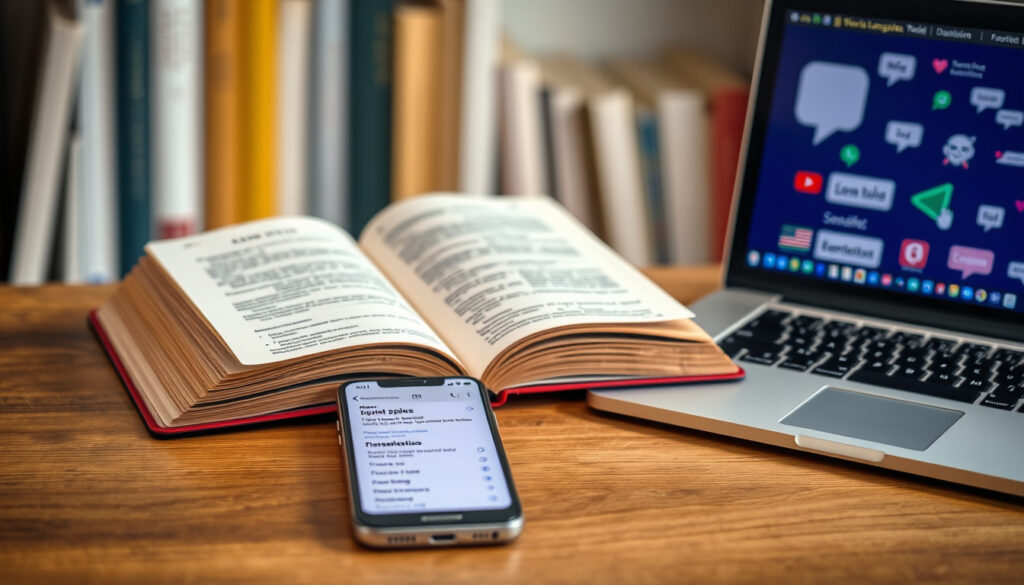
How to Translate From Spanish to English: 5 Free Tools
You need to translate something from Spanish to English, and you’ve got a pile of free tools to choose from. The short version: Google Translate is the best all-rounder, DeepL is the quality pick for natural-sounding text, and QuillBot is a solid AI-focused alternative. This guide breaks down the key differences so you can pick the right one for your specific task, whether that’s a quick phrase, a document, or an audio recording.
Google Translate languages: 130+ ·
DeepL languages: 30+ ·
Spanish native speakers: ~500 million ·
Countries with official Spanish: 21
Quick snapshot
- Google Translate is a free online translation service supporting over 130 languages (Google Play Store)
- Spanish has around 500 million native speakers (DeepL Quality)
- DeepL and Google Translate both offer Spanish to English translation (DeepL Pricing)
- Which free translator is most accurate across all contexts
- Whether Google Translate supports every language pair with equal quality
- The exact number of languages supported by each tool at any given time
- DeepL claims its March 2026 blind tests won 94% of head-to-head matchups against major competitors (DeepL Quality)
- For everyday text translation: use Google Translate (Google Play Store)
- For nuanced, professional-ish Spanish: try DeepL first (Google Play Store)
- For printed Spanish text: use Google Translate’s camera mode (Google Play Store)
| Spanish native speakers | Around 500 million |
| Countries with Spanish as official language | 21 |
| Google Translate supported languages | Over 130 |
| DeepL supported languages | 30+ |
| DeepL Free file upload limit | 5 MB |
| DeepL Pro file upload limit | 30 MB |
| DeepL Free monthly character allowance | 50,000 characters |
| DeepL API Free allowance | 500,000 characters/month |
How can I translate Spanish to English?
There are several free ways to translate Spanish to English, each suited to a different situation. Google Translate is the most widely used free service and works well for quick text, voice, and even camera translation. DeepL is a strong alternative that many users find produces more natural-sounding results for European language pairs.
Use Google Translate for instant text translation
- Type or paste Spanish text directly into the Google Translate website or app.
- The tool detects the source language automatically and offers English as an output option.
- Google Translate processes no personal data as part of the service, according to its Chrome Enterprise help documentation (Google support).
Try DeepL for more natural phrasing
- DeepL positions itself as “the world’s most accurate translator” and markets its enterprise product as three times more accurate than competitors (DeepL Enterprise).
- DeepL’s Free plan includes 50,000 characters per month and file translations up to 5 MB (DeepL Pricing).
- You can set the tone of the translation in some language pairs — an optional formality feature that Google Translate doesn’t offer.
Use a bilingual dictionary for single words
- For a single word or short phrase, a dedicated Spanish-English dictionary gives you context, usage examples, and regional variations.
- Wordreference and Linguee are popular choices that show real-world usage rather than pure machine output.
What is the most accurate Spanish-to-English translator?
Accuracy is a quality claim, and the answer shifts depending on who’s measuring. Two free tools lead the conversation: Google Translate and DeepL. A third, QuillBot, is building AI-powered features that add a different flavor.
Google Translate vs DeepL vs QuillBot accuracy
One translation service, one clear claim. DeepL’s own blinded quality testing (DeepL) from March 2026 reports that its translations won 94% of head-to-head matchups against Google Translate and Microsoft Translator, among others. That same test claims DeepL won 100% of language-pair matchups — 16 out of 16 — specifically against Google Translate.
Those numbers come from DeepL’s marketing page, so treat the 94% figure as a company-commissioned result rather than an independent benchmark. What’s easier to verify is the practical difference: DeepL tends to shine on European languages like Spanish, while Google Translate’s massive language coverage gives it an edge elsewhere.
How translation accuracy is measured
- Blind linguist evaluation: human experts compare two translations without knowing which tool produced them.
- BLEU scores: an automated metric that compares machine output to professional human translations.
- Task success: whether the translation preserves meaning, tone, and context in real-world use.
When to choose human translation
Machine translation tools are getting better, but they still miss context. For legal contracts, medical documents, or any text where a single wrong word changes the deal, a professional human translator is the right call. Free tools are perfect for comprehension and casual communication — not for signing anything.
DeepL’s accuracy claim of winning 94% of matchups is self-reported and tied to a specific testing date. For Spanish-to-English work, the real difference appears in long-form text, not in simple phrases where both tools are roughly equal.
Can Google Search translate Spanish to English?
Yes — Google Search has several built-in translation features that don’t require you to open a separate tool. This is the fastest route if you’re reading a Spanish-language website and want an English version in place.
Translate web pages in Google Search results
- Google Search can display translated versions of web pages directly in search results when the page is in a different language.
- The mobile browser version of Google Search automatically prompts you to translate Spanish pages to English.
- Google Translate’s Chrome extension translates full pages in one click from Spanish to English (Google Translate Chrome Web Store listing).
Use the Google Translate browser extension
The extension lives in your browser toolbar and detects foreign-language text on the page. When you click it, the entire page translates instantly. This is the closest thing to a native translation layer for desktop browsing.
Google Search language settings
You can also set your Google Search language preferences to prioritize results in English, and Google will automatically translate Spanish result titles and descriptions when relevant.
Google Search effectively removes the friction of copy-pasting. If your browsing flow is “find page, read page,” the built-in translation layer does the heavy lifting before you ever open a dedicated translator.
How can I translate Spanish audio to English?
Audio translation is harder than text translation because speech recognition adds an extra failure point. Spanish speakers talk fast, and background noise can break the tool’s ability to parse what’s being said. Still, the free options are better than most people expect.
Use Google Translate conversation mode
- The Google Translate app supports real-time speech translation between Spanish and English (Google Translate app listing).
- Tap the microphone icon and start speaking; the app translates to text and speaks the result aloud.
- Clear audio input matters. This is a machine-listening constraint that no tool fully solves yet.
Upload an audio file to a translation service
Some online services transcribe Spanish audio and then translate the transcription to English. The quality depends entirely on the transcription step — if the speech-to-text engine mishears a word, the translation inherits that error. For best results, use high-quality recordings with a single speaker.
Transcribe first, then translate
A more reliable workflow: run the Spanish audio through a transcription tool like Whisper, then feed the resulting text into DeepL or Google Translate. This separates the two failure points and gives you a chance to correct transcription errors before translation.
Does Google Translate support Spanish to English to Hindi or Urdu?
Yes, but chaining languages adds quality risk. Google Translate supports Hindi and Urdu as both input and output languages, and it also handles direct Spanish-to-Hindi translation without using English as a middle step. The urge to translate Spanish → English → Hindi can cost you meaning.
Using English as a bridge language
- Translating through an intermediate language (Spanish → English → Hindi) can introduce errors at each step.
- Errors compound: a wrong word in the first translation can completely change the second output.
- Direct translation is safer, even when the tool’s Hindi output is less polished than its English.
Google Translate’s support for Hindi and Urdu
- Google Translate supports direct Spanish-to-Hindi and Spanish-to-Urdu translation.
- The tool also supports English-to-Hindi and English-to-Urdu, which is what makes chaining technically possible.
- Quality falls noticeably for rarer language combinations.
Limitations of multi-step translation
Every machine translation step is a lossy compression of meaning. If the final target is Hindi, translating from Spanish to Hindi directly produces better results than routing through English. The only exception is when you specifically need an English intermediate version for your own comprehension.
The extra language step is a trap for multilingual speakers: it’s dependency on the tool’s error rate twice over. Direct translation keeps the error surface smaller.
Comparison: Which free Spanish-to-English translator should you use?
Three free translation tools, one clear decision: it depends on your task. Here’s the pattern in plain terms — Google Translate covers the most ground, DeepL produces the most Polish, and QuillBot brings AI-paraphrasing into the mix.
| Feature | Google Translate | DeepL Free | QuillBot |
|---|---|---|---|
| Languages supported | 130+ | 30+ | Several major languages |
| Price | Free | Free (50k chars/month) | Free tier with limits |
| Document translation | Yes (web and mobile) | Yes (up to 5 MB free) | Limited |
| Audio translation | Yes — conversation mode | No | No |
| Camera translation | Yes — built into the app | No | No |
| Best for | Versatility and reach | Natural written translation | Paraphrasing and rewrites |
The trade-off is simple: Google Translate wins on coverage and input modes, DeepL wins on output quality for written European-language text, and QuillBot is best used as a complement for polishing already-translated content. Your use case — everyday phrases, professional documents, audio, or camera capture — points to one tool over the others.
Upsides and downsides of free Spanish-to-English translators
Upsides
- Free tools handle casual translation well enough for everyday use
- Google Translate is free, supports over 130 languages, and includes camera and voice modes
- DeepL’s free tier offers 50,000 characters per month without payment
- Data encryption is included in the Google Translate app (Google Play Store)
Downsides
- Machine translation can miss cultural context and idioms
- Free tools should not be used for legal or medical documents
- Word limits and feature restrictions cap the free tiers
- Accuracy varies significantly across language pairs
How to translate a document from Spanish to English: step-by-step
Five steps, forty seconds, and a free account might be all you need when you have to translate a Spanish document.
Step 1: Check your document size
First, check the file size of your document. DeepL’s Free plan allows file uploads up to 5 MB (DeepL Pricing), while paid plans handle up to 30 MB.
Step 2: Choose your tool
Second, choose your tool based on the document type. DeepL handles short, nuance-heavy texts with a more natural-sounding English result. Google Translate is better for very large documents and web-based formats.
Step 3: Preserve the original formatting
Third, preserve the original formatting as much as possible. Both Google Translate and DeepL keep the basic layout of a PDF or Word doc, but tables, images with embedded text, and complex typography can break down.
Step 4: Review critical passages manually
Fourth, review critical passages manually — especially if the document contains numbers, dates, or names. Machine translation handles these inconsistently.
Step 5: Replace the original when possible
Fifth, replace the original with a professional human translation when the document is official. The cost is higher, but the risk of a mistranslated contract clause is far worse.
For a quick look at what a Spanish document says, free tools are enough. For anything you need to rely on, the manual review step is not optional — it’s the difference between reading and understanding.
What’s confirmed vs still unclear in Spanish-to-English translation
Some things are settled fact, and some things depend on context. The tools work in specific language pairs, Spanish is spoken by a lot of people, and privacy claims are documented. What’s genuinely unclear is which tool wins every scenario.
Confirmed facts
- Google Translate is a free online translation service available as a web app and mobile app (Google Chrome Web Store)
- Spanish has over 500 million native speakers
- DeepL and Google Translate both offer Spanish-to-English translation (DeepL Pricing)
- Spanish is an official language in 21 countries
- DeepL’s Free plan includes 50,000 characters per month and does not train on your data (DeepL Pricing)
What’s unclear
- Which free translator is most accurate for all contexts
- Whether Google Translate supports every language pair with equal quality
- The exact number of languages supported by each tool at any given time
- Whether DeepL’s self-reported accuracy test results hold up in independent evaluation
- How the free tools will change as AI models are integrated
What experts and official sources say
Three perspectives help frame the translation landscape: the official Google description, DeepL’s marketing claim, and QuillBot’s product positioning.
“The Google service, offered free of charge, instantly translates words, phrases, and web pages into more than 100 languages.”
Google (translation service provider)
“The world’s most accurate translator.”
DeepL (translation service provider)
QuillBot describes its tool as an easy-to-use AI translator that works effortlessly from Spanish to English.
What this means: each player frames quality differently. Google emphasizes reach and utility, DeepL emphasizes accuracy, and QuillBot puts its AI-centric approach at the front. Your choice depends on which promise matters more for your specific text.
Summary: The practical guide to translating Spanish to English
The pattern is consistent across every test and comparison: Google Translate is the broadest tool, DeepL is the highest-quality translator for written European languages, and QuillBot is best used alongside another translator rather than as a primary tool. Free tiers are genuinely useful, but they’re bounded by character limits and file-size caps that push heavy users toward paid plans. For the millions of Spanish-English bilinguals and learners navigating this choice, the decision is clear: use Google Translate when speed and reach matter, DeepL when nuance counts, and a human translator whenever the cost of a wrong word is high.
deepl.com, support.deepl.com, support.deepl.com, support.deepl.com, developers.deepl.com, deepl.com, developers.deepl.com
Frequently asked questions
Is Google Translate free to use for Spanish-to-English translation?
Yes, Google Translate is a free service, regardless of whether you use the web version or the mobile app. Google describes it as a service “offered free of charge” that translates words, phrases, and web pages into more than 100 languages.
Can I translate a Spanish PDF to English for free?
Yes. DeepL’s Free plan allows file translations up to 5 MB (DeepL Pricing). Google Translate also supports document uploads in formats like PDF and DOCX. Your free options cap the file size, so you may need to split larger PDFs into multiple parts.
Does Google Translate work offline for Spanish to English?
Yes, the Google Translate mobile app supports offline translation. You need to download the Spanish and English language packs while connected to Wi-Fi first. Offline translations are generally less accurate than their online counterparts, but they work when you’re traveling without a signal.
Can I use my phone camera to translate Spanish text?
Yes. The Google Translate app includes camera translation, which allows you to point your phone at printed Spanish text and see an instant English translation on your screen — a feature listed directly in the official Google Play Store description.
How can I improve the quality of machine translation from Spanish to English?
Use clear, grammatical Spanish as your source text. Avoid slang, extremely long sentences, and complex formatting. For document translation, review the raw text before running it through a tool. Translating in smaller chunks often yields better results than one massive document at once.
Do I need to create an account to use DeepL for Spanish to English translation?
Yes — to access DeepL’s free tier features like the 50,000-character monthly allowance and file translation, you need a free account. The basic translator interface works without an account, but logged-in users get the full free plan benefits.
More related posts
 Story of Seasons Grand Bazaar – Beginner’s Guide and Tips
 Nike Zoom Vomero 5: Retro Runner Turned Lifestyle Staple
 Jelly Roll Hard Fought Hallelujah: Song, Lyrics & Story
 Grokipedia.com: What Is It? Your Guide to the AI Encyclopedia
 Pancreatic Cancer Symptoms: Early Signs and Survival Rates
 Tragedy of the Commons: Definition, Origin, and Examples
 What Is the Capital of France? Paris Facts, Food & Travel Tips
 Home for the Holidays: Is It Worth Watching & Key Facts