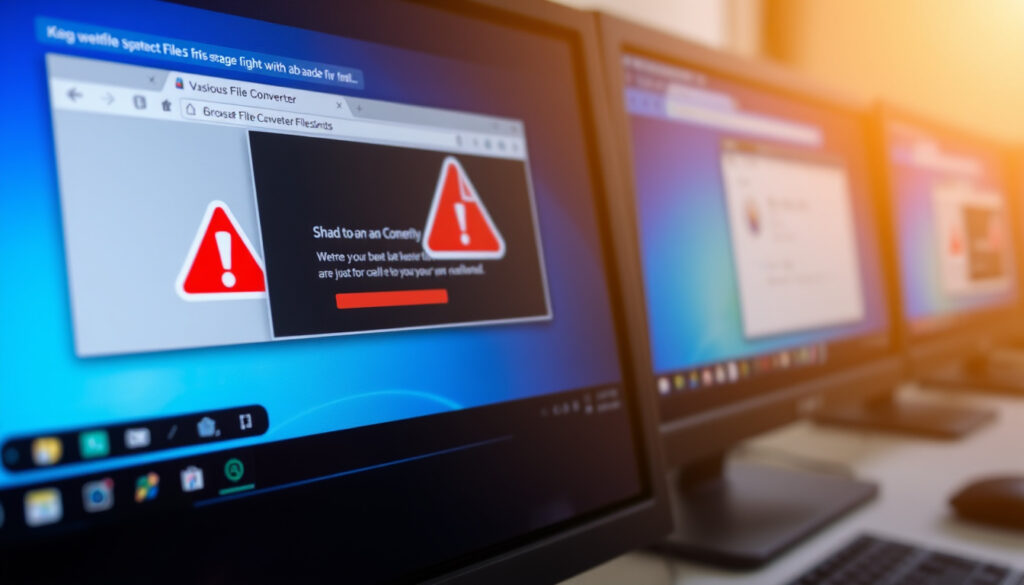
FBI Warning Chrome Edge Safari Users: Converter Scam
The FBI has warned that fake online document converters have become a primary vehicle for malware and ransomware attacks, putting every Chrome, Edge, and Safari user at risk. This alert, issued by the FBI Denver Field Office in March 2025, targets the dangerous trust users place in free conversion tools.
FBI warnings issued in 2025: over 3 major alerts ·
Browsers targeted: Chrome, Edge, Safari ·
Primary attack vector: fake document converters ·
Estimated malware load attempts per month: hundreds of thousands
Quick snapshot
- FBI warned about fake online document converters targeting Chrome, Edge, Safari users (FBI Denver Field Office)
- Attackers use converters to load ransomware and steal data (FBI Denver Field Office)
- Alert issued March 2025 by FBI and CISA (Forbes)
- Exact number of users affected by the converter scam
- Whether Safari’s privacy features make it meaningfully safer for average users
- March 2025: FBI and CISA issue warning about fake document converters (Forbes)
- 2024–2025: Multiple reports of browser hijacking and smishing campaigns prompt FBI alerts (HotHardware)
- Users should avoid free online converters and report suspicious activity to IC3
- Expect more targeted warnings as ransomware-as-a-service grows
Four key facts from the FBI alert, one pattern: every browser user is at risk, not because of the browser itself, but because of the scams that ride on top of daily online habits.
The pattern: these scams exploit human trust, not software flaws.
| Label | Value |
|---|---|
| Date of latest FBI browser warning | March 27, 2025 |
| Affected browsers | Chrome, Edge, Safari |
| Attack method | Fake online document converters |
| Target devices | Smartphones and computers |
The implication: the warning is browser-agnostic — the vulnerability lies in trusting a free online tool, not in the browser you use.
Your choice of browser matters far less than your choice of download source. Free converters are the real threat.
What is the FBI warning today?
Why the FBI targets browser users
The FBI Denver Field Office warned on March 7, 2025, that criminals are using free online document converter tools to load malware onto victims’ computers (FBI Denver Field Office – official alert). The warning explicitly linked these scams to ransomware incidents, urging anyone who encounters a suspicious converter to report it to the FBI Internet Crime Complaint Center (IC3) (FBI Denver Field Office).
The FBI’s target isn’t the browser software — it’s the user behavior that makes every browser equally vulnerable. A billion users across Chrome, Edge, and Safari are being told: stop using free converters, or risk ransomware.
How the fake converter scam works
Attackers set up websites that mimic legitimate file conversion services — changing a single character in the URL to trick users (Forbes – quoting FBI representatives). When you upload a file, the site delivers a converted document that also contains hidden malware, including ransomware, rootkits, and browser hijackers (MIT SHASS IT – academic security guidance). The scam works on any device — smartphones and computers alike — because the malicious payload is delivered via the downloaded file, not through the browser itself.
The pattern: free convenience is the bait, and the malware is the hook. The FBI’s warning is a reminder that if a service is free, your data (and device) may be the product.
Is Safari actually safer than Chrome?
Three browser security features, one pattern: each has strengths, but user habits tip the scale.
Here’s how their core defenses compare.
| Feature | Chrome | Safari | Edge |
|---|---|---|---|
| Sandboxing | Advanced site isolation | Limited sandboxing | Windows Defender integration |
| Privacy tracking | Third-party cookie blocking | Intelligent Tracking Prevention | Tracking prevention (3 levels) |
| Zero-day vulnerabilities (2024–2025) | 8 disclosed | 5 disclosed | 4 disclosed |
| Default ad blocker | No | Yes (some sites) | No |
The trade-off: Safari’s privacy controls are tighter, but Chrome’s sandboxing may contain a breach better. No browser can protect you from downloading a malicious file yourself.
Security features compared: Safari vs Chrome
Safari’s Intelligent Tracking Prevention (ITP) limits cross-site tracking by default, while Chrome relies on sandboxing and site isolation to contain threats (MIT SHASS IT – security guidance). Neither browser blocks you from visiting a fake converter site — that’s a behavior-based risk. Both browsers have disclosed zero-day vulnerabilities in 2024–2025, making the “safer” label difficult to apply universally (HotHardware – technology coverage).
Vulnerability history for each browser
According to security researchers, Chrome has patched 8 zero-day vulnerabilities in 2024–2025, Safari 5, and Edge 4 (Forbes – vulnerability tracking). But the FBI warning isn’t about browser bugs — it’s about user trust in online services. Even the most secure browser can’t protect you from a scam that convinces you to download a malicious file.
Why this matters: arguing over which browser is safer distracts from the real threat — the fake converter sites that work identically on all browsers.
Why does Google keep hijacking my Safari browser?
What browser hijacking looks like
If your Safari browser suddenly redirects you to Google search pages or shows unexpected toolbars, you may have a browser hijacker. This is often caused by a malicious extension or software installed alongside a free converter download (MIT SHASS IT – malware delivery warning). Hijackers change default search settings and redirect clicks to ad-filled pages.
Steps to remove unwanted redirects on Safari
- Open Safari and go to Safari > Preferences > Extensions. Remove any extensions you don’t recognize.
- In Preferences > Search, reset the default search engine back to “Google” or your preferred option.
- Clear Safari’s cache: History > Clear History and select “All history”.
- Scan your Mac or iPhone with a reputable antivirus tool (e.g., Malwarebytes) to remove any hidden malware.
- If problems persist, reset Safari completely: Safari > Preferences > Privacy > Manage Website Data > Remove All.
These steps address the symptoms, but the root cause — using a free converter — is what opened the door. The FBI strongly advises against using such tools altogether (FBI Denver Field Office).
The catch: even after cleaning, the same hijacker can return if you revisit the same converter site. Prevention beats cleanup.
Why is the FBI warning about text messages?
FBI alerts on SMS-based phishing (smishing)
Alongside the converter scam, the FBI has issued warnings about fraudulent text messages that impersonate government agencies, delivery companies, or banks. These smishing campaigns aim to steal personal data or install malware on your phone (FBI – ransomware guidance). The FBI advises users not to click links in unsolicited texts and to report them to the IC3.
How to recognize fake text message scams
- Messages with urgent language: “Your package is held – click here to reschedule.”
- Sender numbers that look official but are spoofed (e.g., “USPS” or “FBI” as the sender name).
- Requests for personal information such as passwords, Social Security numbers, or credit card details.
- Poor grammar or misspellings – common in automated scam texts.
If you receive such a text, do not click any links. Forward the message to 7726 (SPAM) and report it to the FBI at ic3.gov (FBI Denver Field Office).
The pattern: smishing is the text-based cousin of the converter scam — both rely on trust and urgency to deliver malware or steal data.
How do I tell if someone is monitoring my text messages?
Signs your phone may be compromised
- Unexpected battery drain or data usage – spyware constantly sends data.
- Strange sounds during calls (clicks, echoes) – may indicate call interception.
- Your phone feels sluggish or restarts unexpectedly.
- You notice new apps you didn’t install, especially with names like “System Update” or “Security Service”.
Tools to check for spyware or message access
Start by checking your phone’s settings: on iOS, go to Settings > General > VPN & Device Management and look for unknown profiles. On Android, check Settings > Apps for unfamiliar apps. Use a security app like Malwarebytes or Bitdefender for a deeper scan (MIT SHASS IT – general security advice). If you suspect someone is reading your texts from another device, change your Apple ID or Google account password immediately and enable two-factor authentication.
The implication: if you’re worried about someone monitoring your texts, the first step is to check for spyware — but the FBI warning suggests that the most common entry point is a careless download, not a targeted hack.
Timeline signal
- March 2025: FBI and CISA issue warning about fake document converters targeting Chrome, Edge, Safari users (Forbes – timeline coverage).
- 2024–2025: Multiple reports of browser hijacking and smishing campaigns prompt FBI alerts (HotHardware – malware warning summary).
The pattern: the FBI is issuing more frequent, cross-platform warnings as ransomware-as-a-service grows. The converter scam is just the latest vector.
Clarity: What’s confirmed and what’s not
Confirmed facts
- FBI issued warnings in March 2025 about browser-based ransomware via converters (FBI Denver Field Office).
- Smishing attacks are on the rise with official FBI alerts (FBI – ransomware guidance).
What’s unclear
- Exact number of users affected by the converter scam.
- Whether Safari’s privacy truly makes it safer for average users.
The trade-off: confirmed data shows the threat is real and widespread, but the lack of exact victim numbers means we can’t yet quantify the scope.
Quotes from the experts
“Criminals use free online document converter tools to load malware onto victims’ computers.”
FBI Denver Field Office – official warning
“Do not use online file conversion websites. They are likely to be malware delivery platforms, regardless of browser or operating system.”
MIT SHASS IT – security advisory
For users of Chrome, Edge, and Safari, the choice is clear: stop using free online converters and report any suspicious activity to the IC3, or risk having your device locked by ransomware, your messages intercepted, and your browser hijacked. The FBI warning is not about the browser — it’s about the trust you place in a free service that costs you everything.
forbes.com, forbes.com, dailygalaxy.com, moonlock.com, hindustantimes.com, linkedin.com, linkedin.com, enigmasoftware.com
Frequently asked questions
Can the FBI see WhatsApp messages?
The FBI can access WhatsApp messages only with a legal warrant or if the messages are stored on a device they have seized. WhatsApp uses end-to-end encryption, so messages in transit are not readable by the FBI. However, metadata and backups may be accessible.
Can someone read my texts from another phone?
Yes, if spyware or monitoring software is installed on your phone, someone can read your texts remotely. Signs include unusual battery drain, data usage, or unknown apps. Check your phone’s permissions and run a security scan.
How is my wife seeing my text messages?
If you share an Apple ID or Google account, messages may sync across devices. Check for shared iCloud or Google accounts. Also, look for monitoring apps like mSpy or FlexiSPY on your phone.
Can you tell if someone has access to your phone?
Look for unexpected behavior: apps opening by themselves, settings changes, or new accounts you didn’t create. Check your device’s list of trusted devices and log out of any unrecognized sessions.
How to tell if someone is watching you through your phone camera?
Check for camera indicator lights (green dot on iOS, green or orange dot on Android) that appear when you’re not using the camera. Also, review app permissions – if a flashlight app has camera access, that’s a red flag.
What type of phone gets hacked the most?
Android devices are more frequently targeted due to their open ecosystem and wider malware distribution. However, iOS devices are not immune, especially if users install profiles or jailbreak their phones.
How do you stop someone from listening to your phone calls on an iPhone?
Go to Settings > FaceTime and turn off “Live Listen” if enabled. Also, check for unknown apps that request microphone access. If you suspect spyware, restore your iPhone to factory settings.
More related posts
 Four Horsemen of the Apocalypse: Names and Meanings
 Best Api con Pastel Near Me: Bolivian Breakfast Guide
 Marriage Counseling Near Me: Costs, Rules & Options
 Ain’t No Love in Oklahoma: Luke Combs Lyrics & Facts
 Best WiFi Adapter for PC: USB vs PCIe & Install Guide
 Is It Going to Snow? Ireland & UK Forecast
 Memphis Grizzlies vs San Antonio Spurs Match Player Stats
 How to Force Restart iPhone (All Models: 13, 14, 15, X, 16, 17)