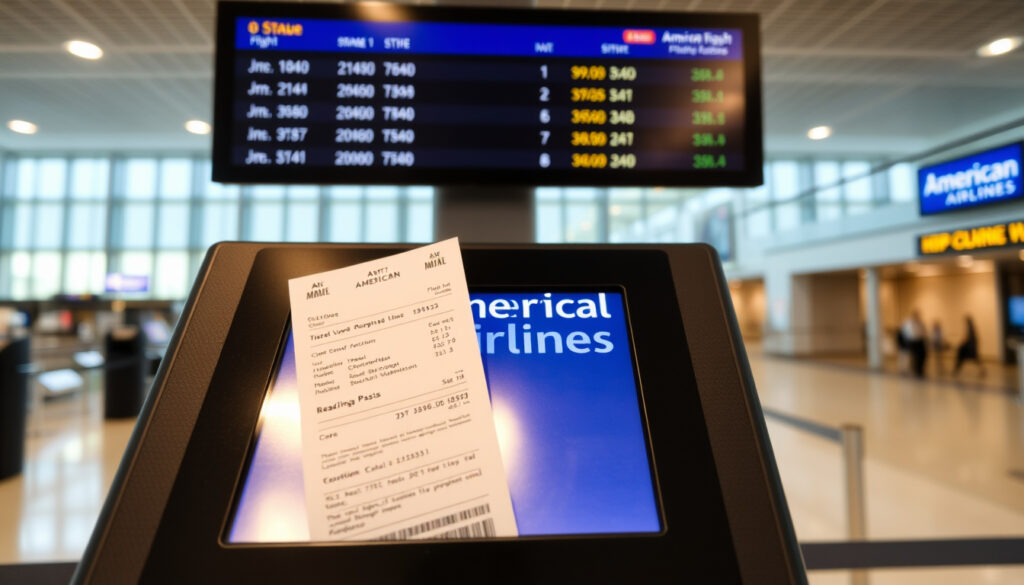
American Airlines Flight Status: Check In & Get Boarding Pass
American Airlines runs over 6,700 flights a day, and knowing exactly where your plane is and when you can check in makes the difference between a smooth travel day and a scramble at the gate. This guide covers every official method to check your flight status, walk through online check-in, get your boarding pass, and fix the most common hiccups along the way.
Daily flights: Over 6,700 to 350 destinations ·
On-time rate (2023): 81% ·
Check-in opens: 24 hours before departure ·
Status phone: 1-800-433-7300
Quick snapshot
- Official flight status tool on American Airlines official flight status page
- Check-in opens 24 hours before departure American Airlines official check-in page
- Phone number for status: 1-800-433-7300 American Airlines technical support page
- Acceptance of mobile boarding passes may vary by airport
- Some flights might have different check-in rules
- Whether the online check-in page works without JavaScript enabled
- Check-in opens exactly 24 hours before departure American Airlines official check-in page
- Flight status page last updated August 2026 American Airlines official flight status page
- Use the AA app for real-time updates American Airlines mobile app page
- Set up flight notifications for push alerts American Airlines flight notifications page
Here is a summary of the essential information you need.
| Item | Value |
|---|---|
| Official Flight Status Page | aa.com/travelInformation/flights/status |
| Phone Number | 1-800-433-7300 |
| Check-In Window | 24 hours before departure |
| Boarding Pass Methods | Mobile, email, airport kiosk, counter |
| Technical Support Number | 800-222-2377 American Airlines technical support page |
| Flight Notifications | Sign up on aa.com |
| Online Check-In URL | aa.com check-in page |
| Mobile App | AA app for iOS/Android |
How to check American Airlines flight status?
Check flight status by flight number
- Go to the official American Airlines official flight status page.
- Enter your flight number (e.g., AA100) and the date.
- View departure/arrival times, gate, and terminal.
A flight number search is the fastest way to check status because it pulls the exact schedule, not a list of departures. No need to guess which city pair your flight uses.
Check by cities
- On the same status page, choose the “By city” option.
- Select departure and arrival airports from the drop-down.
- Pick a date to see all American Airlines flights between those cities.
Using the AA mobile app
- Download the American Airlines official airline app for iOS or Android.
- Open the app and tap “Flight status” on the home screen.
- Search by flight number or route. The app also shows live maps and push notifications.
Using FlightAware live map
- Visit FlightAware independent flight tracking service.
- Enter the American Airlines flight number or route.
- View real-time position, speed, altitude, and estimated arrival.
The pattern: every method works with either a flight number or a city pair. The official tools are the most reliable for gate and schedule changes, while third-party trackers add visual detail.
How do I check into my American Airlines flight online?
Step-by-step online check-in process
- Open American Airlines official check-in page or the AA app.
- Enter your confirmation number and last name.
- Select seats if you haven’t already, and add bags if needed.
- Review your itinerary and confirm check-in.
- Download or email your boarding pass.
Check-in time window
- Check-in opens exactly 24 hours before departure American Airlines official check-in page.
- If you miss the 24-hour mark, you can still check in at the airport. Online check-in closes about 45 minutes before domestic departure.
What you need (confirmation number and last name)
- Your confirmation number (also called record locator) is a 6-character alphanumeric code from your booking email.
- Last name must match the name on the reservation exactly.
“Check-in starts 24 hours before departure to get a boarding pass.”
American Airlines official check-in page
The implication: the 24-hour window is the single most important timeline to remember. Checking in as soon as it opens gives you the best seat selection and avoids last-minute issues.
Do I need to print my boarding pass if I check in online?
Mobile boarding pass
- American Airlines offers a mobile boarding pass via the AA app or email American Airlines official airline app.
- Most airports accept the digital pass on your phone – just show it at the gate and security.
- TSA generally accepts digital passes at checkpoints TSA U.S. Transportation Security Administration.
Print at airport kiosk
- If you prefer a paper pass, use the self-service kiosks at the airport. You’ll need your confirmation number or credit card.
- Kiosks are available at all American Airlines airports.
TSA requirements
- TSA does not require a printed boarding pass for domestic flights. A digital pass is acceptable.
- For international flights, some destinations may require a paper copy. Check your destination country’s rules.
“TSA accepts mobile boarding passes at all security checkpoints.”
TSA U.S. Transportation Security Administration
The catch: while mobile passes work almost everywhere, a small number of airports still have gate readers that prefer paper. Keeping a screenshot or printing a backup at the kiosk is a low-effort insurance.
How do I get my American Airlines boarding pass?
Via email after check-in
- During online check-in, choose the option to receive your boarding pass by email.
- You’ll get a PDF that you can save to your phone or print.
Via mobile app
- After check-in through the AA app, your boarding pass appears automatically in the app wallet.
- You can also access it from the “My Trips” section.
At airport kiosk
- Use any American Airlines self-service kiosk at the airport: enter your confirmation number or scan your passport.
- Kiosks print a paper boarding pass instantly.
At check-in counter
- If you have baggage to check or need special assistance, the counter agent can issue a printed boarding pass.
- Counter staff can also reprint a lost pass.
What this means: you have four ways to get a boarding pass, and the mobile app is the most convenient. The airport kiosk is the universal fallback.
Is it better to check-in online or at the airport?
Pros of online check-in
- Saves time – you skip the check-in line.
- Better seat selection – you can choose seats before airport check-in opens.
- Available 24 hours before departure, while airport check-in counters open 2-3 hours before.
Pros of airport check-in
- Counter staff can handle special requests (extra baggage, seat changes, special meals).
- If you have baggage to check, you’ll need to visit the counter anyway.
- Works for passengers who don’t have internet access.
When to check-in at airport
- If you’re traveling with pets, unaccompanied minors, or oversized baggage.
- If you need to use a travel voucher or upgrade at the counter.
- If you missed the online check-in window.
Online check-in saves time but can’t handle every service request. The best strategy: check in online for seat selection, then use the short bag-drop line at the airport.
The pattern: online check-in is the default for most travelers. Airport check-in is a backup that handles exceptions. The decision comes down to whether you have bags or special needs.
Confirmed facts vs. What’s unclear
Confirmed facts
- American Airlines official website provides flight status American Airlines official flight status page
- Check-in opens 24 hours before departure American Airlines official check-in page
- Phone number 1-800-433-7300 is for flight status American Airlines technical support page
- Online check-in requires JavaScript American Airlines official check-in page
What’s unclear
- Whether every airport accepts mobile boarding passes
- Whether some flights have different check-in rules
- Whether the flight status page works reliably without JavaScript
- Whether technical support can resolve check-in errors quickly
What this means: the core tools are solid, but edge cases (mobile pass acceptance, scripting issues) can cause friction. Always have a backup plan – a kiosk or the app.
Related reading: American Airlines Flight Status · Flight Notifications and Alerts
aa.com, aa.com, aa.com, aa.com, flightview.com, thetoolstrunk.com, dinsmore.com, maxtransit.org
Frequently asked questions
How far in advance should I check in for American Airlines?
Check-in opens exactly 24 hours before departure. It’s best to check in as soon as the window opens to secure your preferred seat.
Can I check in if I have a seat assignment?
Yes, you can check in even if you already have a seat assignment. You can also change your seat during check-in if available.
What if I miss my check-in window?
If you miss the online check-in window, you can still check in at the airport kiosk or counter. Arrive at least 2 hours before departure for domestic flights.
Does American Airlines text flight status updates?
Yes, you can sign up for flight notifications via text or push alerts on the American Airlines official flight notifications page.
Can I check flight status without a confirmation number?
Yes, you can check by flight number or by departure and arrival cities on the American Airlines official flight status page.
How do I change my seat after checking in?
You can change your seat through the AA app or website after check-in, as long as seats are available. You can also ask at the gate.
For the traveler who values time: check in online the moment the 24-hour window opens, use the mobile boarding pass, and set up flight notifications. That combination covers status, check-in, and boarding without a single trip to the counter. For the traveler with bags or special needs, online check-in still saves the seat selection step – just plan to hit the bag-drop line.
More related posts
 Sam Altman Net Worth 2026: How He Became a Billionaire
 $697 Social Security Checks: April 2025 Schedule & COLA
 What Does ‘As Above, So Below’ Mean? Origin & Misconceptions
 Death on the Nile: Novel and Film Adaptations Guide
 Lil Baby Net Worth 2026: $20M Estimates vs $100M Claims
 Golden State Warriors vs Miami Heat Match Player Stats 2025
 Jeffree Star and Kanye West: Rumors, Feuds, Facts
 Kanye West Net Worth 2026: Forbes vs Self-Reported Figures